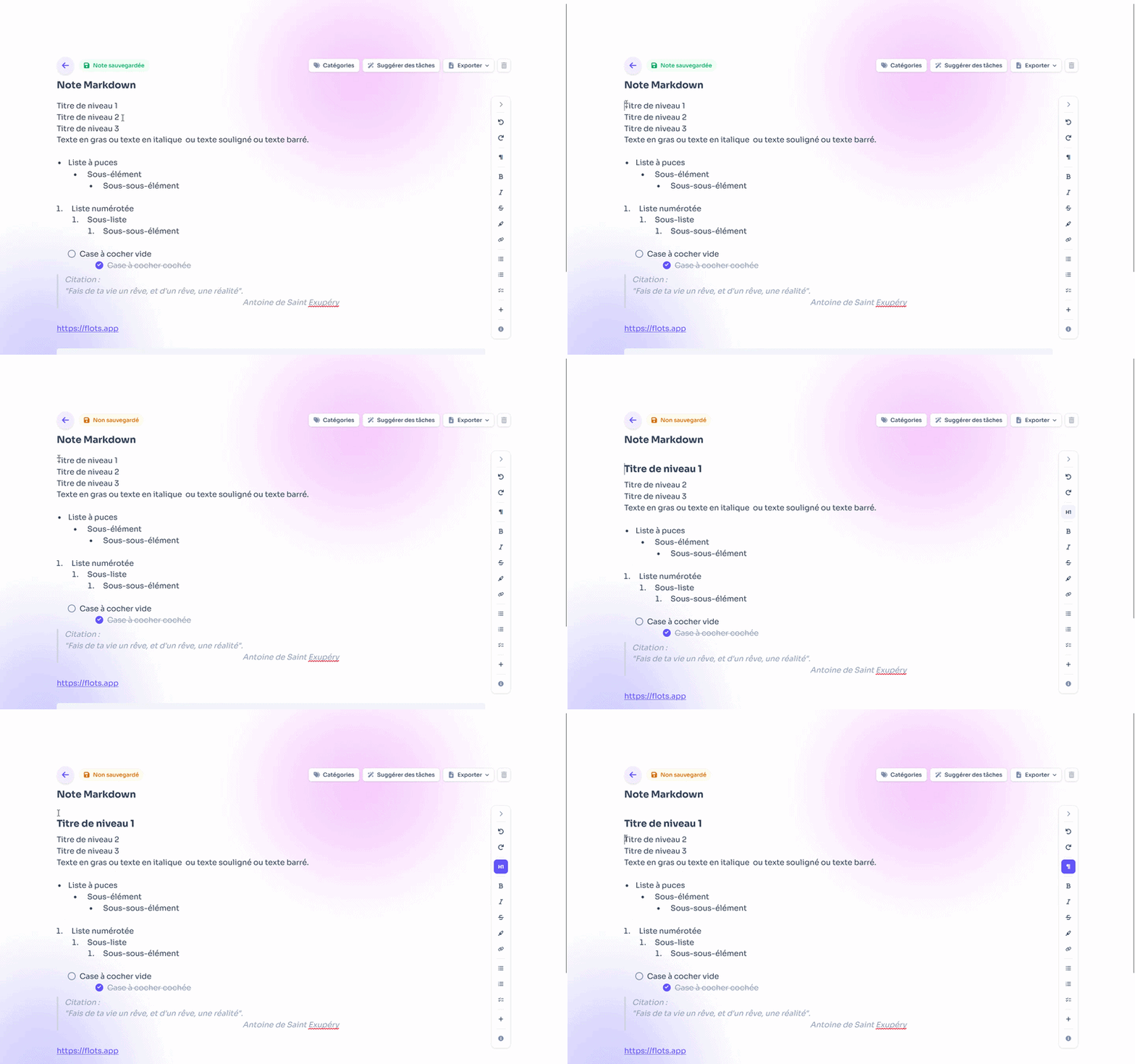
Jotting down a fleeting idea, structuring meeting minutes, writing an actual report to share: a note needs to be able to follow you everywhere, from the quick capture to the finished document. That's exactly what we've reworked. Flots notes now get a full Markdown editor, a clearer layout, PDF and Word export, and a few genuinely annoying bugs fixed.
A full Markdown note editor
The heart of this update is Markdown finally done properly. Your notes are no longer limited to plain text and a few headings: they now support everything needed to structure an idea like a proper document.
- Text formatting (bold, italics, strikethrough…) to make the essentials stand out.
- Tables to compare, list, and organize.
- Bulleted or numbered lists, and checkboxes for your checklists.
- Equations for scientific and technical needs.
And that's just a glimpse: from the quick note to writing a report, the same editor covers the whole spectrum, without switching apps along the way.
Exporting your notes to PDF and Word
A note is only as valuable as your ability to share it. Your notes can now be exported to PDF and Word (DOCX). You write in Flots, export, and send the file to a client, for instance, without any risky copy-pasting or reformatting to redo.
It's the missing link between your personal notes and the documents you share with others.
Clearer note-taking: table of contents, categories and tasks up top
We also reworked the layout for better readability and day-to-day comfort:
- A table of contents automatically structures longer notes and lets you find your way at a glance.
- Categories and automatic task extraction now sit at the top of the note: more visible, more accessible.
Quick reminder: Flots detects and extracts tasks directly from your notes. By placing them at the top, this feature becomes immediately usable, and your action items no longer get lost within the text. You can then organize them in the new Planning view, which brings tasks and calendar together in one place.
Bugs fixed
This update also fixes some concrete annoyances. The most notable: a bug that broke formatting on copy-paste. Pasting text into a note now keeps its structure, without unpleasant surprises.
Coming soon: images and voice notes
We're not stopping there. Two projects are currently in development to go even further:
- Adding images within notes.
- Voice notes, which would turn directly into structured notes, with the same information and task extraction you already get today with written notes.
These two features are coming soon: they aren't available yet, but we're working hard on them.
Notes that go from the idea jotted on the fly to the report ready to share: that's the whole point of this update. If you're discovering Flots, take a look at the story of the project too. And the best way to see it is to try it on your next note.
Complete notes, from draft to report.