A client, a case, a job that settles in for the long haul: very quickly, tasks pile up, notes scatter, and you lose track of "where things stand". Projects in Flots answer exactly that. A dedicated space that brings together everything related to a subject, solo or as a team. Here's how to use them.
A project, a space dedicated to one subject
A project is above all an isolated space that lists your whole organization around a specific subject. Your tasks, your notes and your milestones tied to that subject live there together, separate from everything else.
The benefit is twofold. You focus on one subject without being distracted by others, and you find its full context at a glance whenever you come back to it. No more searching for where you jotted down some piece of information or filed away a task.
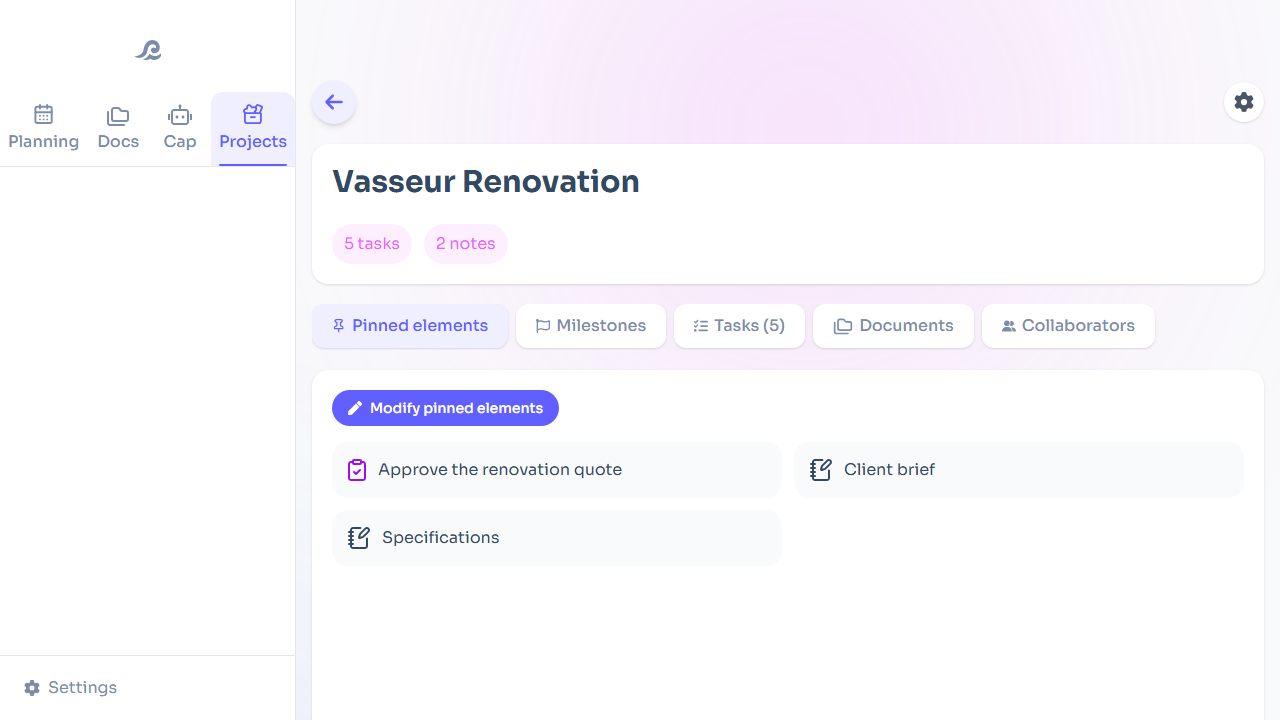
Keeping the essentials in view: pinned items
In a project that's moving forward, there are always a few things you keep coming back to: a brief, a reference note, a pivotal task. You pin them to bring them to the project's front page.
When you open it, you land directly on the heart of the matter, without having to dig around. What really matters stays within sight.
Knowing where you stand: milestones
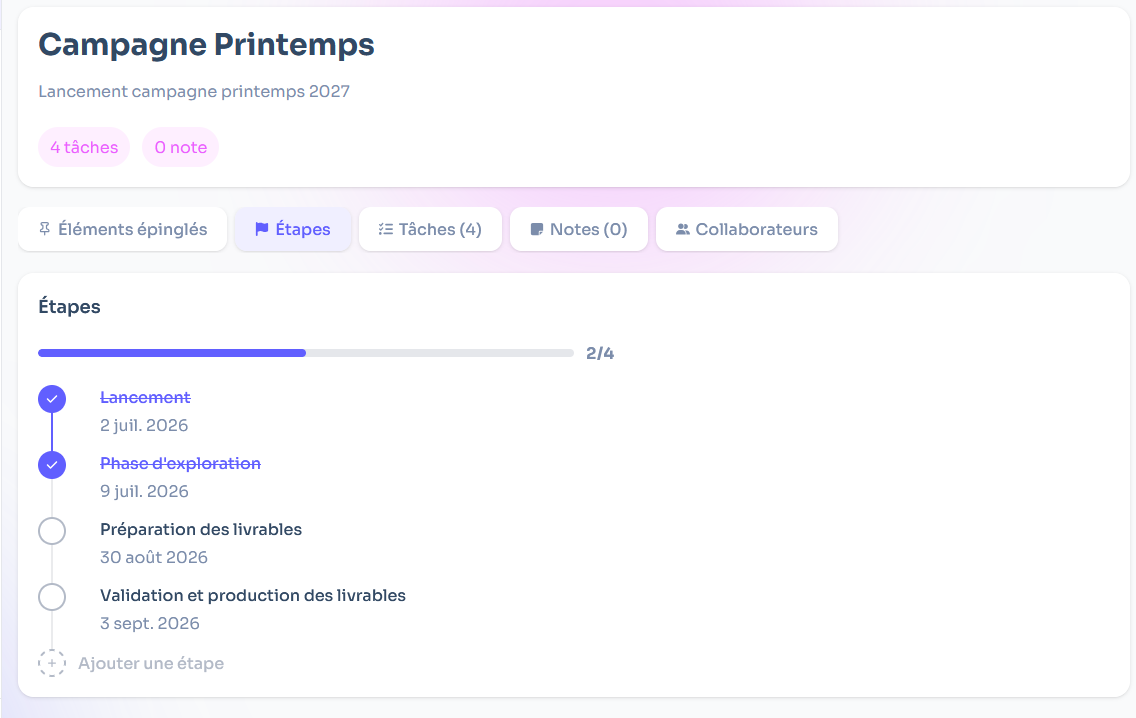
A project that runs long needs a throughline. Milestones let you track where you stand: you see the key waypoints and the path still ahead to reach the finish line.
That's what turns a pile of tasks into readable progress. At a glance, you see what's done, what's next and what's stuck, without a spreadsheet or complicated setup.
Moving forward together: collaboration
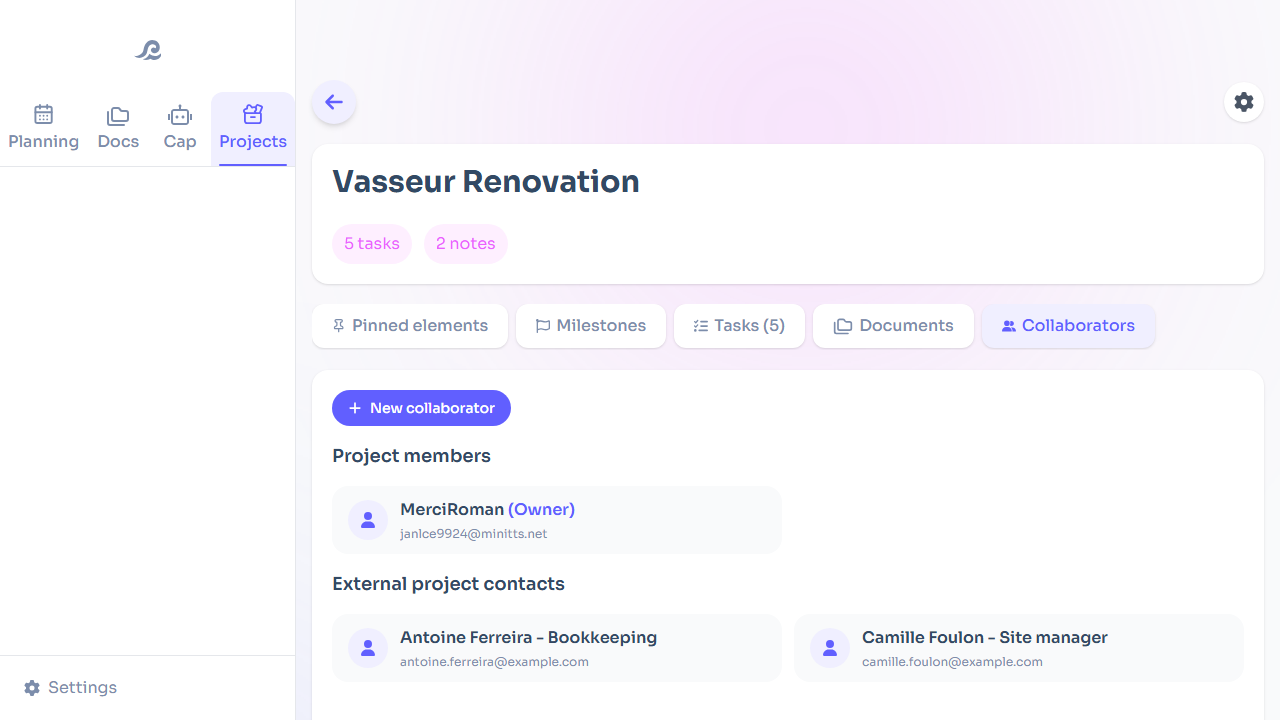
A project isn't always a solo affair. You can share a project's organization with your collaborators: share your notes, assign tasks, move forward together on a clear basis.
For a team, that means delegating and overseeing without friction. You assign, everyone sees what they need to do, and information stays centralized instead of scattering across messages. It all stays connected to your personal organization: a shared project doesn't take you out of your own workspace.
Structure without the weight
Like the rest of Flots, projects follow the same logic: the essentials by default, detail as an option. A project can stay a simple storage space, or become a real command center with milestones, pinned items and collaboration, depending on what the subject calls for.
That's what lets you build organization that holds up over time, naturally connecting your tasks and your notes around each subject.
A space per subject, the essentials pinned, milestones to keep on course, and the option to move forward as a team: that's how Flots projects stay under control over time. The best way to see it is to create your first project and drop in what's already on your mind.
Bring a whole subject together in one project.
Tasks, notes and milestones in one place, to pin, track and share with others.